
How to Use the Wage Tracker Module
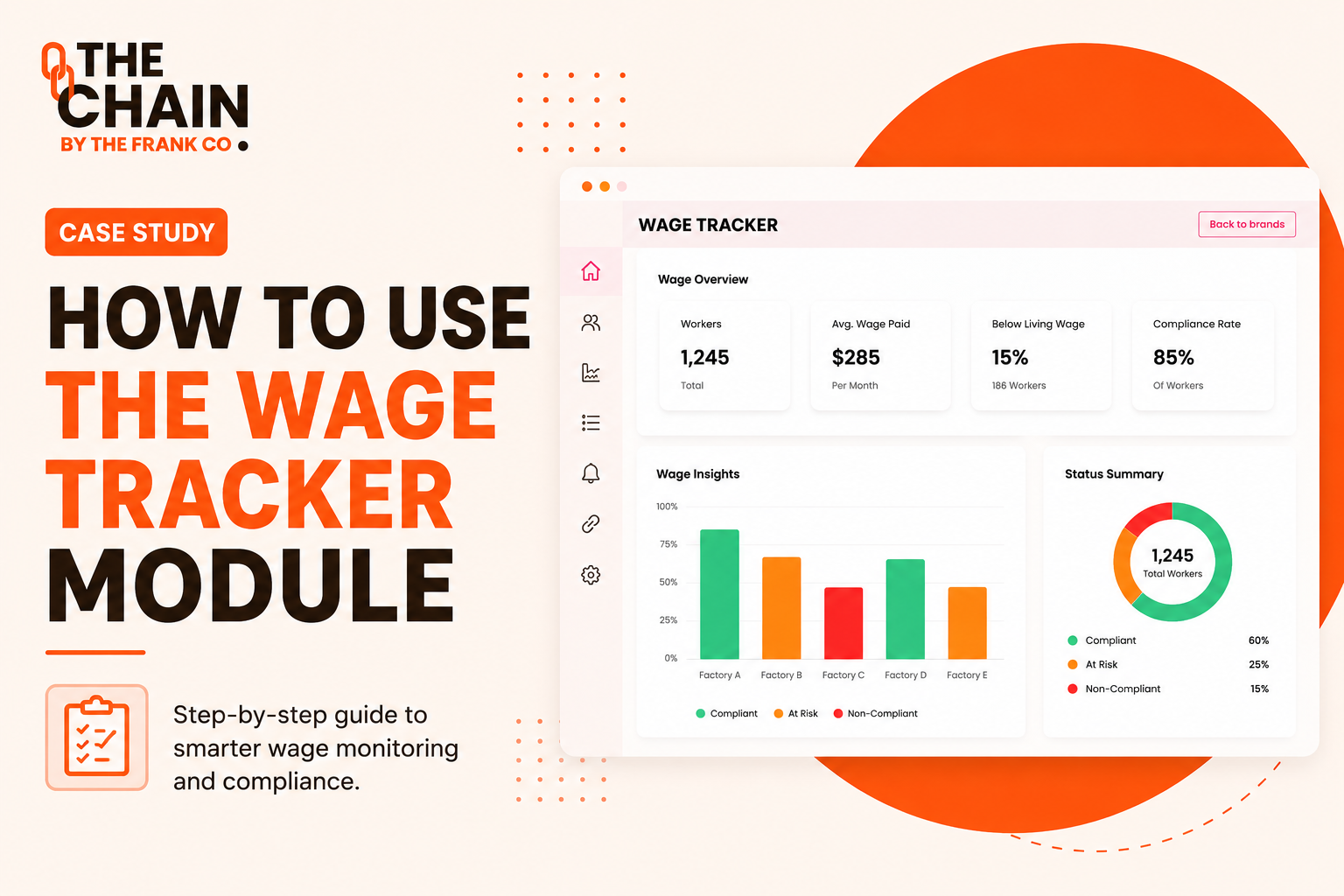
Understanding what workers earn across your supply chain is essential for responsible sourcing. Yet collecting payroll data from multiple factories often means dealing with different file formats, inconsistent reporting, and hours of manual data entry.
The Wage Tracker Module within The Chain simplifies this process. Using AI-powered payroll extraction, it transforms payroll files into structured wage data that can be reviewed, validated, and analysed in just a few steps. The result is a faster way to measure wages, benchmark factory performance, identify gender pay gaps, and compare wages against living wage standards.
This case study explores how the module works and how brands and suppliers can use it to build accurate wage reporting across their supply chains.
The Challenge
Payroll information is one of the most valuable datasets in a supply chain, but it is also one of the hardest to standardise.
Brands often receive payroll records in different formats, making it difficult to compare data across factories. Manual entry is slow, while inconsistent reporting increases the risk of incomplete or inaccurate wage analysis.
The need was clear:
Create a simple workflow that allows factories to upload payroll data, automatically extract key information, and generate reliable wage insights with minimal manual effort.
The Solution: Wage Tracker
The Wage Tracker Module combines AI-assisted payroll extraction with guided data validation.
Rather than entering wage information manually, users upload their payroll file and allow the platform to populate much of the information automatically. Users simply review the extracted data, complete any remaining fields, and save the entry.
Once complete, the module generates wage insights that support both supplier improvement and brand-level reporting.
Key outputs include:
Living wage benchmarks
Average wage analysis
Gender pay gap insights
Wage trends over time
Factory-level wage reporting
Turning Payroll Data into Actionable Insights
Once payroll information has been validated, Wage Tracker transforms raw payroll records into meaningful dashboards.
Instead of reviewing spreadsheets manually, brands can immediately understand:
How average wages compare with living wage benchmarks
Wage differences between male and female workers
Overall wage trends across reporting periods
Factory performance over time
This allows sourcing and compliance teams to identify risks more quickly and make better-informed decisions using consistent payroll data.
Accessing the Wage Tracker Module
The module follows a simple seven-step workflow.
Step 1: Prepare Your Payroll File
Before uploading, ensure your payroll file (Excel, CSV, or PDF) includes the required information:
Job role
Gender
Days worked
Gross wage (excluding overtime)
Fixed monthly allowances
The clearer the payroll file, the more accurately the AI can extract the data.
Step 2: Log Into The Chain
Sign in using the login details provided by your brand or The Chain team.
Once logged in, you'll have access to the Wage Tracker module from the left-hand navigation menu.
Step 3: Upload Payroll Using AI
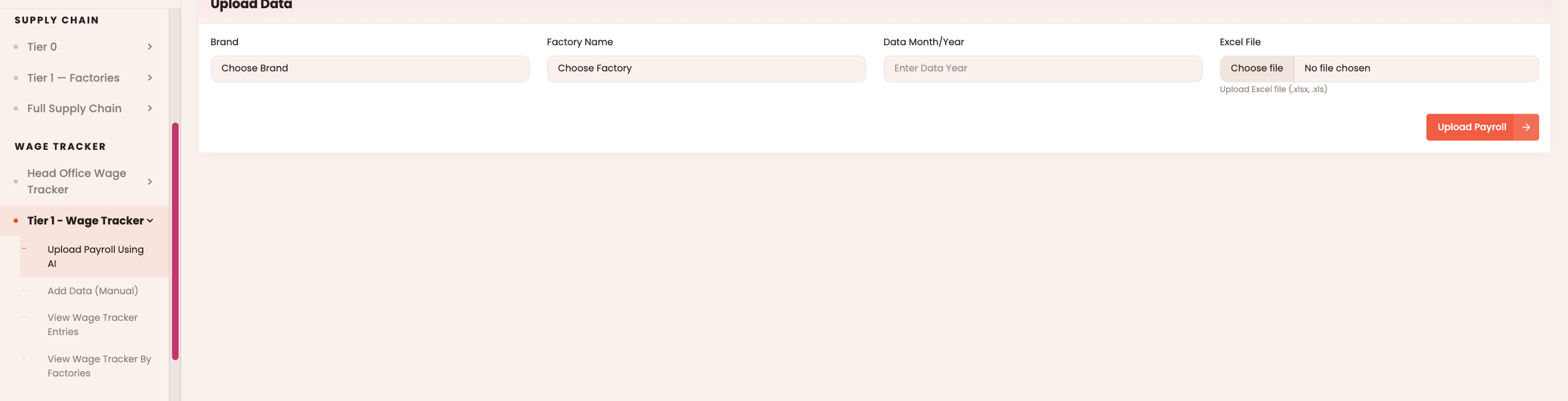
From the navigation menu, go to:
Wage Tracker → Upload Payroll Using AI
Then:
Select the factory
Choose the payroll month
Upload the payroll document
Click Upload Data
The platform automatically extracts available payroll information using AI.
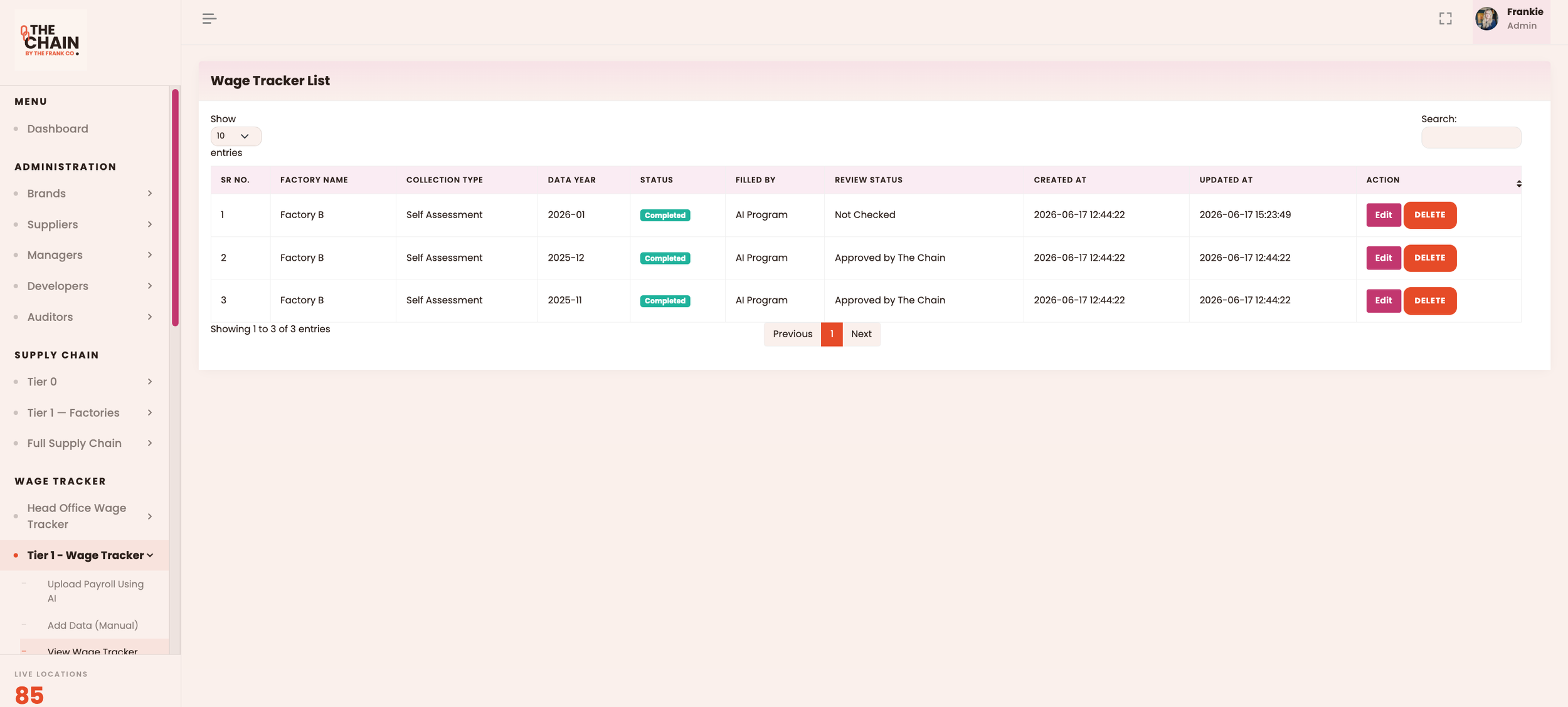
Step 4: Review Your Entries
Navigate to:
Wage Tracker → View All Entries
Each payroll upload appears as a separate record.
To review an entry:
Click Edit
Open the AI-generated wage form
Review the extracted information before saving
Step 5: Complete Any Missing Information
Some information may require manual verification.
The form highlights fields using colour coding:
Red fields – Mandatory and must be completed.
Green fields – Optional where information is available.
Review every section before saving to ensure accurate reporting.
Step 6: Save Your Entry
Once the form is complete:
Click Update Data
Repeat the process for every payroll upload
Each completed record becomes part of your wage reporting dataset.
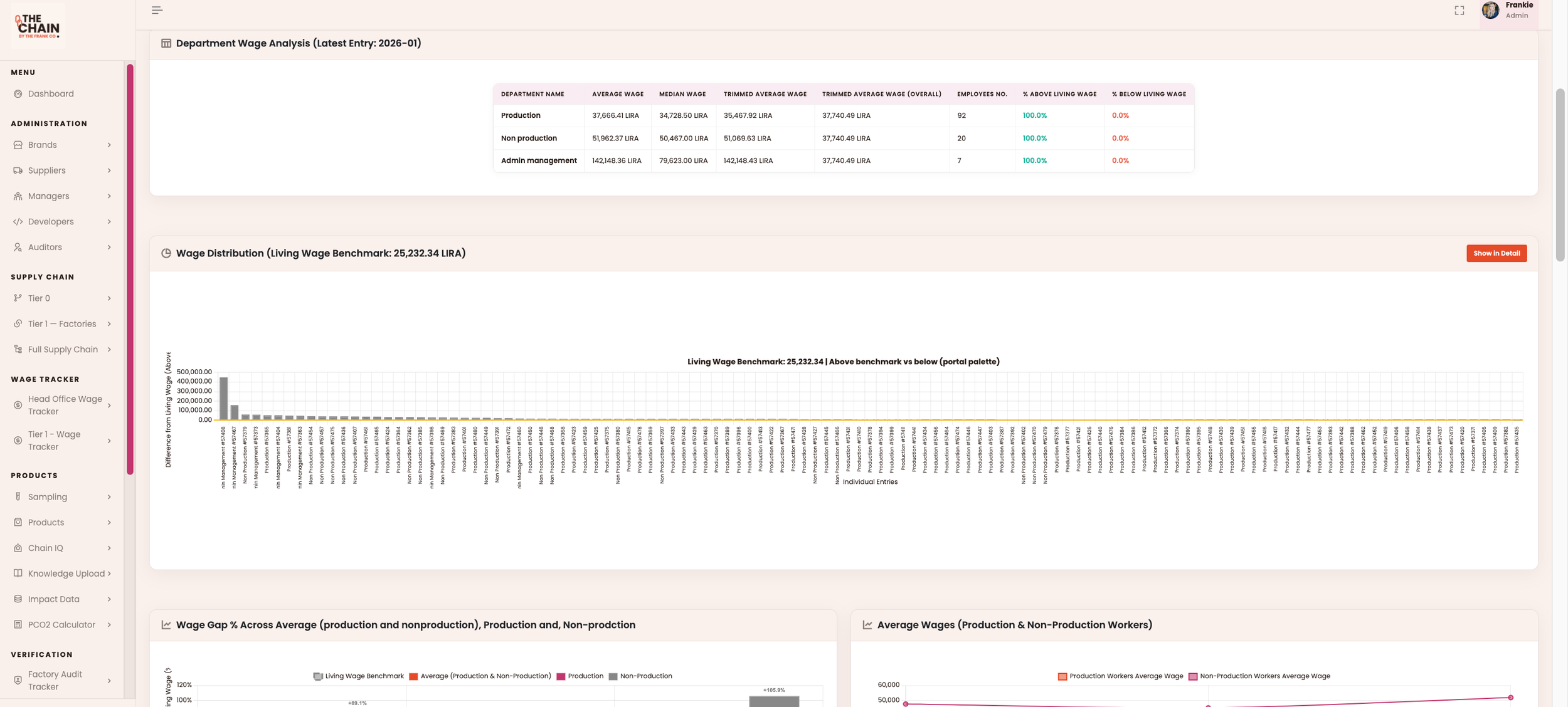
Step 7: View the Wage Tracker Overview
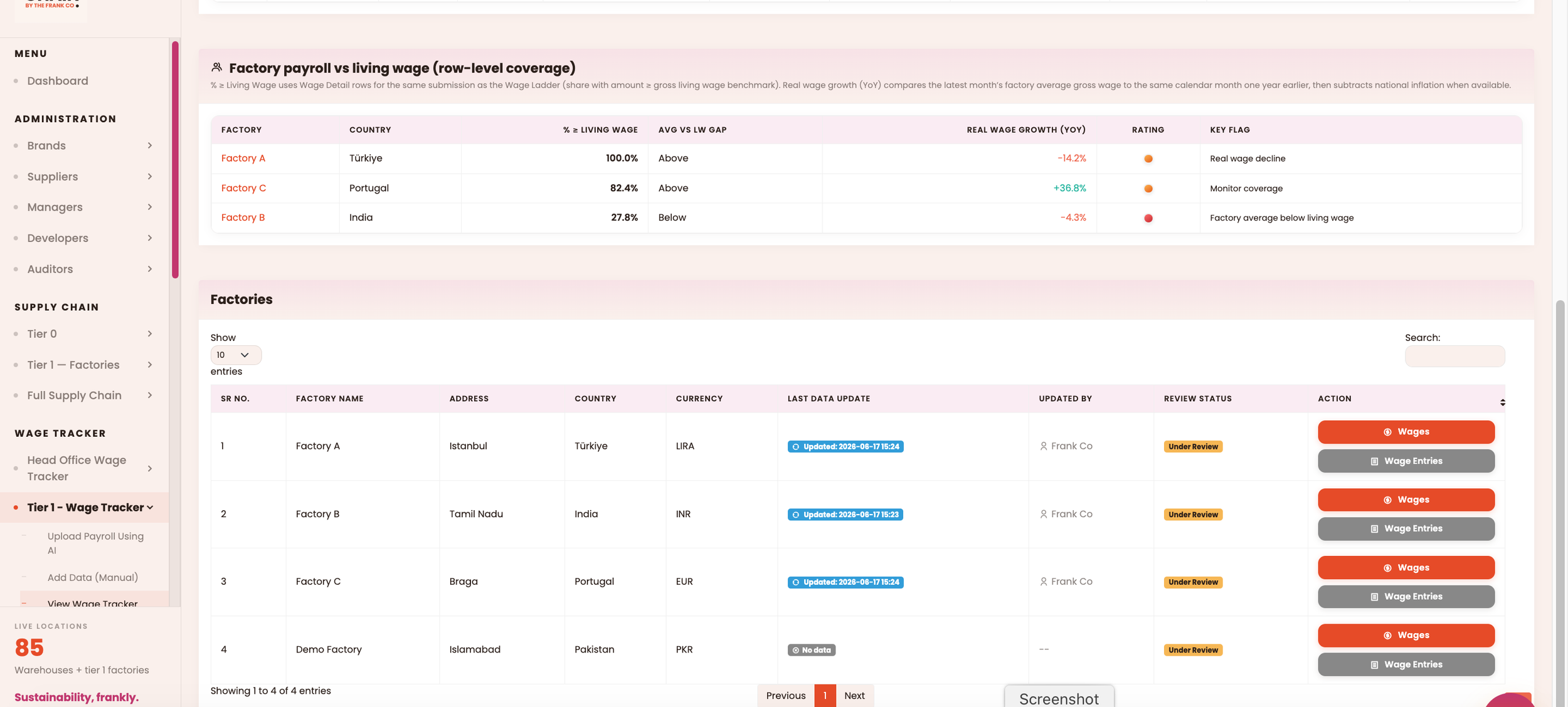
To analyse your results, navigate to:
Wage Tracker → View wage tracker entries—> Wages (orange button)
The dashboard provides:
Living wage benchmarks
Wage analysis
Gender pay gap reporting
Average wage comparisons
Factory-level performance metrics
This gives brands a clear, centralised view of wage performance across their supply chain without manually consolidating payroll spreadsheets.
Why This Module Matters
Reliable wage data is the foundation of meaningful labour due diligence.
The Wage Tracker Module simplifies payroll collection by combining AI-powered extraction with structured validation, helping brands collect more consistent data while reducing manual administration.
Instead of spending time organising spreadsheets, sourcing and compliance teams can focus on what matters most: understanding wage performance, identifying risks, and driving continuous improvement across their supplier network. For more support, reach out to our support team.