
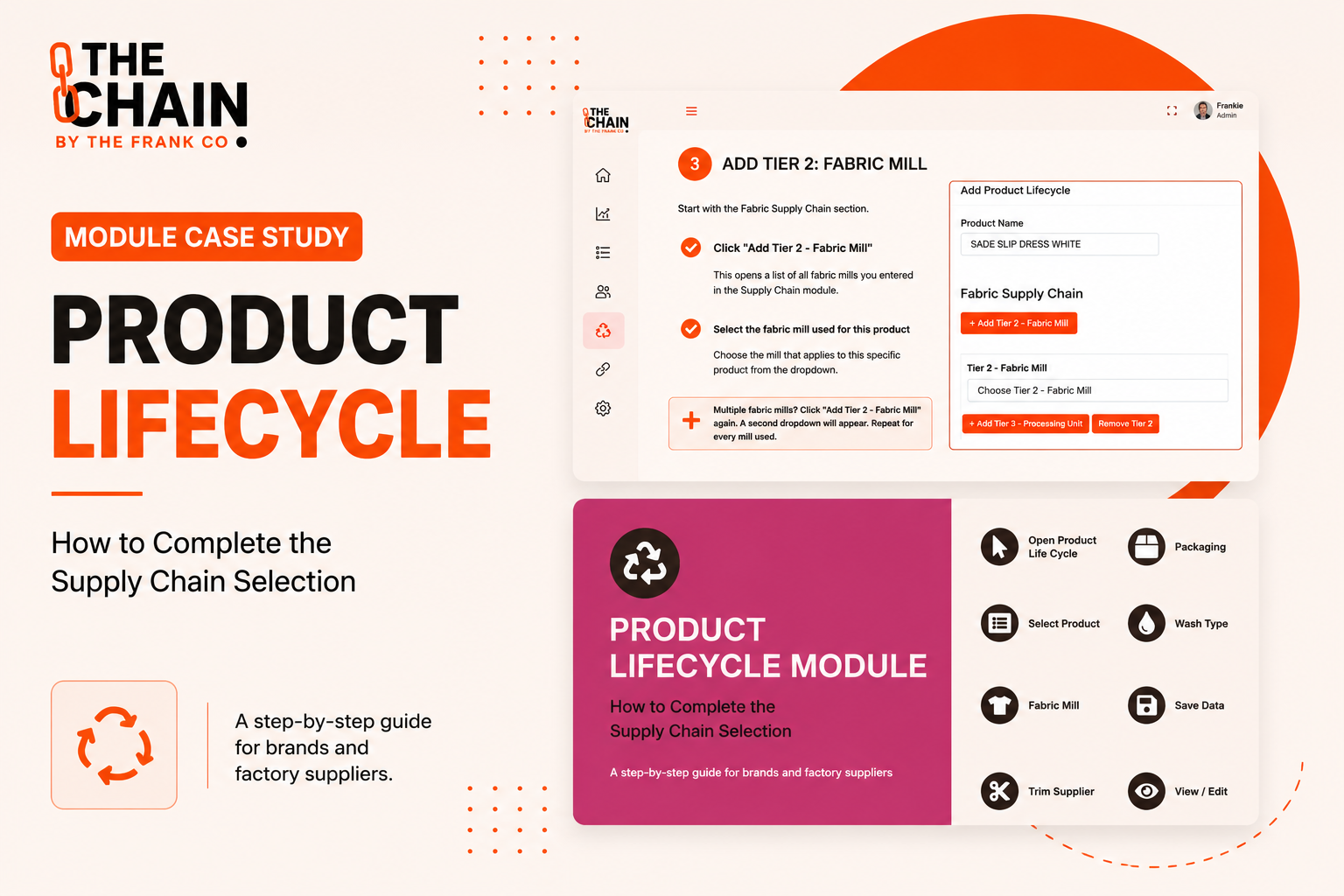
Today's fashion brands need more than visibility into who made a product. They also need to understand how it was made, what resources were consumed, what chemicals were used, which certifications apply, and how the product changes over time.
The Product Lifecycle Module within The Chain brings all of this information together in one place. Rather than storing product, supplier, environmental, and compliance data across multiple systems, the module creates a single digital record for every product throughout its lifecycle.
This case study explains how the module works and how brands can use it to build comprehensive lifecycle records that support traceability, sustainability reporting, and Digital Product Passport readiness.
The Challenge
Product information is often scattered across different departments.
As a result:
Supply chain information is stored separately from product specifications.
Water and chemical data are difficult to connect to individual products.
Certification records sit in separate compliance systems.
Carbon data is often calculated independently.
Product updates and reorder information become difficult to track over time.
Without a connected lifecycle record, building a complete picture of a product requires gathering information from multiple systems.
The need was clear:
Create one digital record that follows every product from production through compliance, environmental impact, and future orders.
The Solution: Product Lifecycle
The Product Lifecycle Module creates a central record for every product within The Chain.
Instead of viewing supplier information, environmental data, certifications, and product specifications separately, everything is connected through a single lifecycle entry.
Each Product Lifecycle can include:
Product information
Supply chain mapping
Water usage
Chemical usage
PCO₂ & carbon footprint data
Certifications
Additional product information
Reorder history
Together, these datasets create a complete digital history that supports traceability, compliance, sustainability reporting, and Digital Product Passports.
Bringing Product Data Together
Rather than acting as another product database, the Product Lifecycle Module connects information from multiple modules across The Chain.
As data is added throughout the platform, the lifecycle record becomes increasingly valuable, giving teams one place to review every aspect of a product.
Whether you're reviewing supplier information, environmental performance, chemical declarations, or certification status, everything is organised within a single product record.
Accessing the Product Lifecycle Module
The module has been designed to fit naturally into your product management workflow.
Step 1: Create a Product Lifecycle
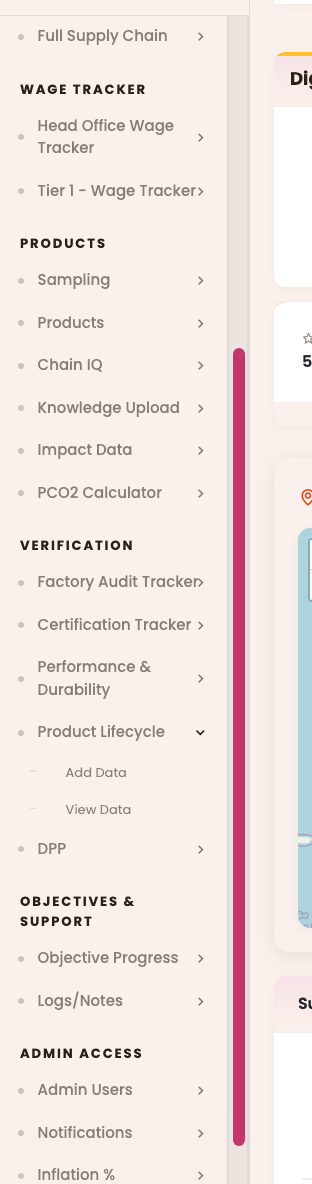
From the left-hand navigation menu:
Verification → Product Lifecycle → Add Data
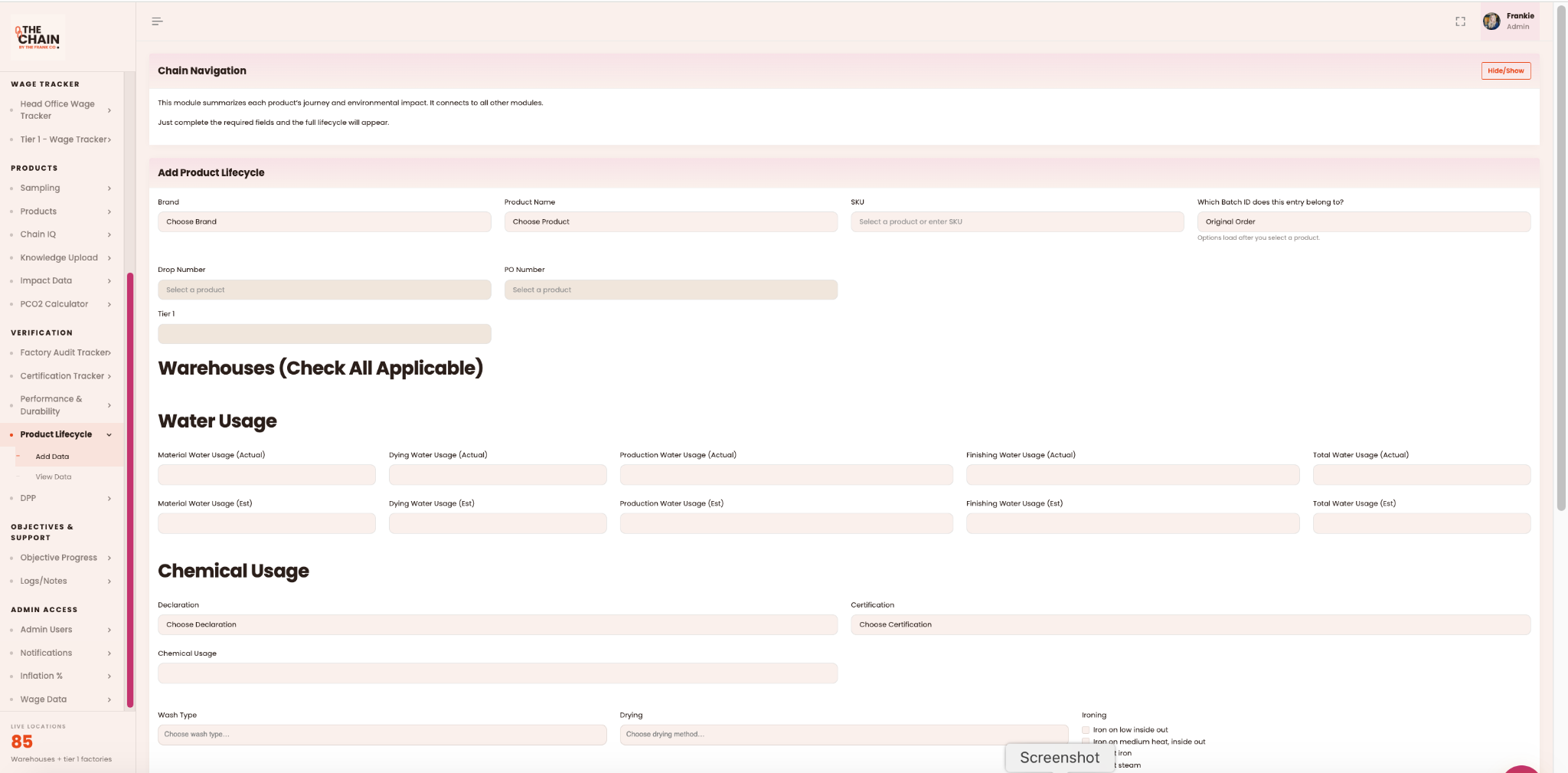
The Add Product Lifecycle page allows you to create a new lifecycle record for an individual product.
Step 2: Select the Product
Complete the product details at the top of the page.
Select:
Brand
Product Name
SKU
Batch ID
Drop Number
PO Number
Once a product is selected, The Chain automatically loads the associated Tier 1 factory where available.
Step 3: Complete Lifecycle Information
Continue working through each section of the lifecycle record.
Depending on the product, this may include:
Warehouse information
Water usage
Chemical declarations
Certifications
Wash type
Drying method
Ironing instructions
Each section contributes to a more complete product record.
Step 4: Record Environmental Data
The Product Lifecycle Module allows brands to capture environmental information associated with production.
This includes:
Material water usage
Dyeing water usage
Production water usage
Finishing water usage
Total water usage
Where available, both estimated and actual values can be recorded, providing a more complete understanding of product impact.
Step 5: Add Chemical & Certification Information
The Chemical Usage section allows users to document:
Chemical declarations
Chemical usage information
Associated certifications
This ensures environmental and compliance information is linked directly to the product rather than stored separately.
Step 6: Save the Lifecycle Record
Once all available information has been entered, click Add Data to save the Product Lifecycle.
You can return later to expand the record as additional information becomes available.
Step 7: View Existing Product Lifecycles
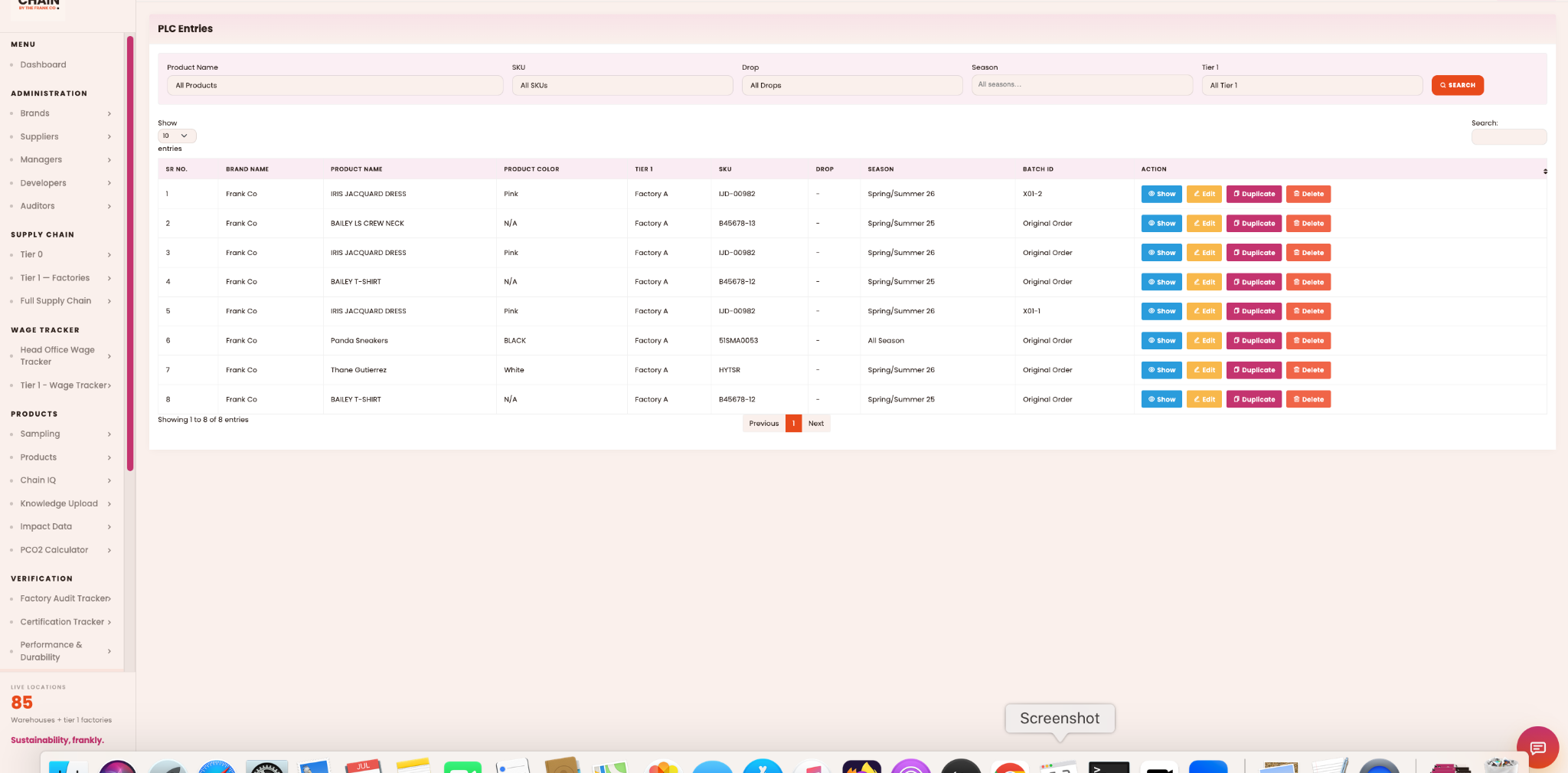
To review completed records, navigate to:
Verification → Product Lifecycle → View Data
The Product Lifecycle table allows you to:
Search products
Filter by SKU, Tier 1 factory, season, or drop
View completed lifecycle records
Edit existing records
Duplicate records
Delete outdated entries
This makes managing large product collections significantly easier.
Step 8: Explore Product Details
Selecting Show opens the complete Product Lifecycle record.
Information is organised into dedicated sections including:
Product
Supply Chain
Water
Chemicals
PCO₂ & Carbon
Certificates
Additional Information
The product page also displays reorder history, making it easy to track changes across production batches and seasons while maintaining a complete product history.
Why This Module Matters
Modern product compliance requires more than supplier transparency.
The Product Lifecycle Module brings together product information, environmental metrics, supply chain mapping, certifications, and lifecycle history into a single digital record that grows alongside the product.
Instead of switching between multiple systems to answer questions about a product's origin, impact, or compliance status, brands can access everything from one place. The result is better traceability, stronger sustainability reporting, and a robust foundation for Digital Product Passports and future regulatory requirements.