Certifications are the backbone of proof in fashion sourcing. A GRS certificate tells a buyer that recycled content is real. A GOTS certificate confirms organic fibre standards were met. But most brands store these documents in scattered folders, spreadsheets, or email threads, which makes them hard to find when a buyer, auditor, or regulator asks for evidence. The Certification Tracker on The Chain solves this by giving every certificate a home and a clear place in the supply chain.
The tracker works around two distinct types of certification, and understanding the difference matters. Scope Certifications cover a factory, supplier, or material as a whole. Think GRS, GOTS, or OEKO-TEX certificates that apply broadly across a supplier relationship. Transaction Certificates, on the other hand, are tied to a specific purchase order. They prove that the materials used in one particular batch of production, linked by PO number, style number, and product name, actually carry the certification claimed.
This split matters because compliance rarely stops at the supplier level. A factory might hold a valid GRS certificate, yet a single order could still use uncertified fabric if the paper trail is not checked order by order. By separating scope from transaction, the tracker lets brands verify both the supplier's standing and the specific goods moving through production.
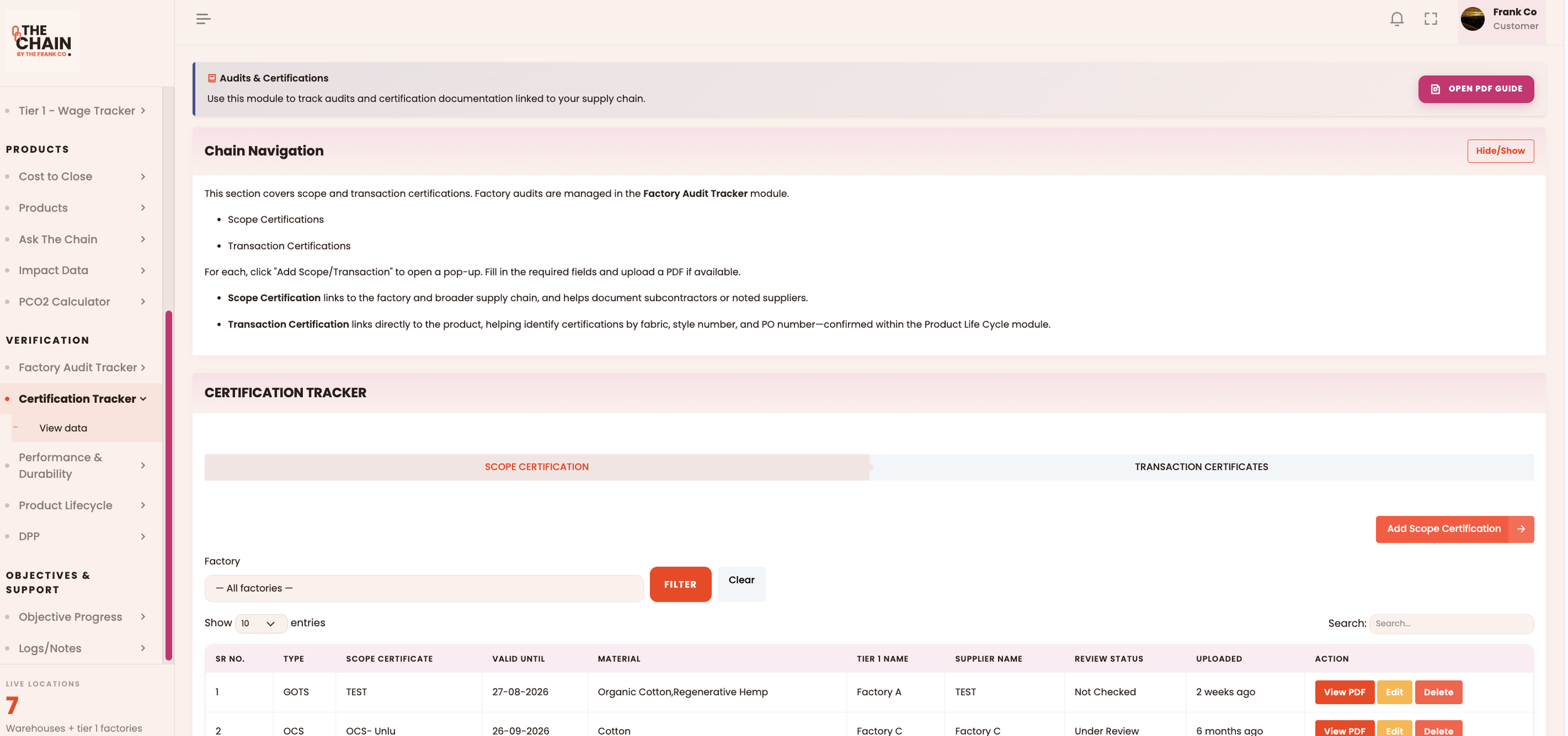
Adding a record is simple. For a Scope Certification, click Add Scope Certification and fill in:
Certification name (for example, "GRS Certificate")
Certification type and valid until date
The material it covers
Tier 1 and supplier name
The certificate PDF, then submit
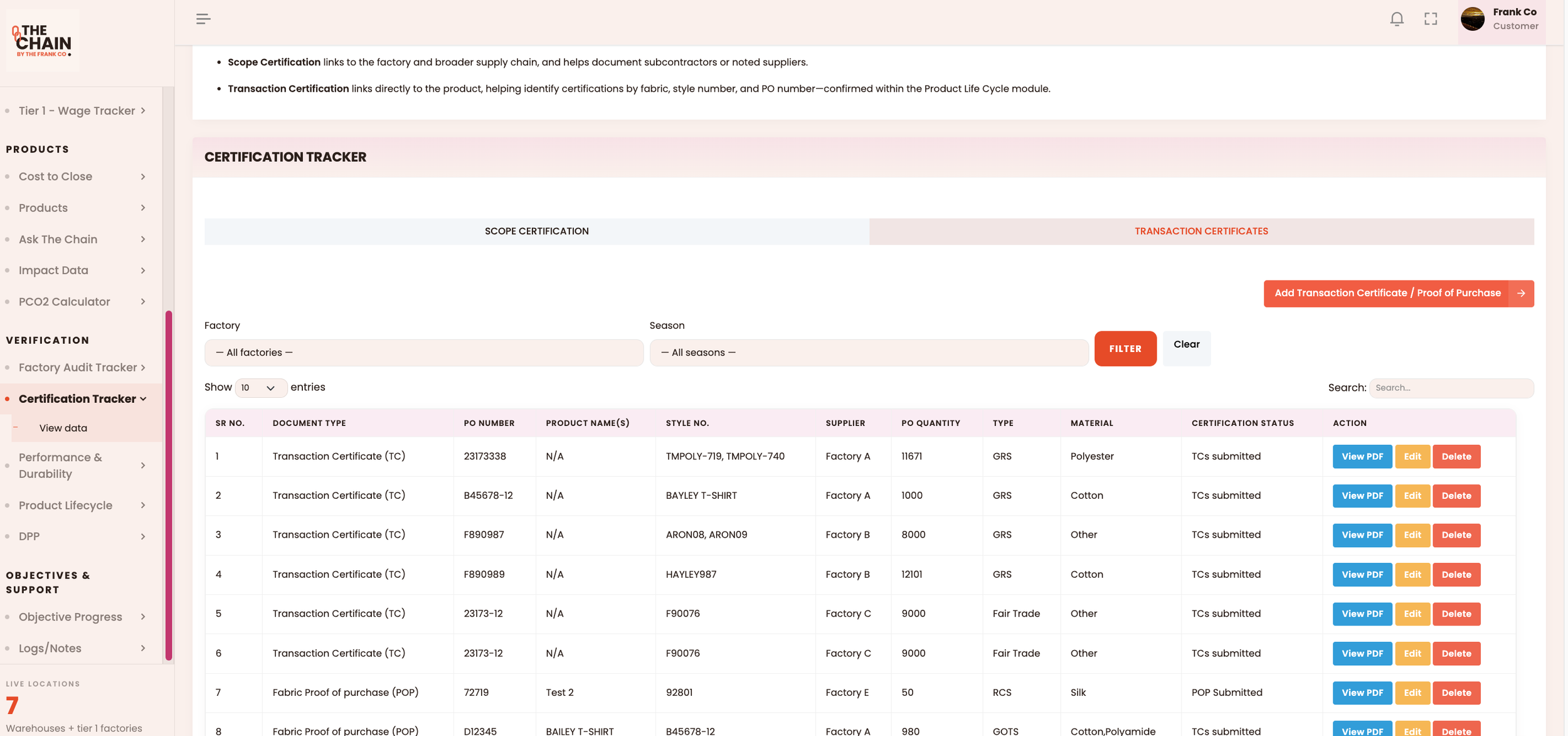
Transaction Certificates ask for a bit more detail, since they need to trace back to an exact order in the Product Lifecycle module. Open the Transaction Certificates tab and click Add Transaction Certificate / Proof of Purchase, then enter:
Document type and PO number
Product name(s), with style number auto-filled
Supplier name and PO quantity
Type and material
Certification status, then upload the PDF and save
Once uploaded, every record becomes searchable and actionable. For each entry, you can:
View PDF, to open the certificate
Edit, to update details or replace the document
Delete, to remove a record added in error
The tracker also flags certification status, so teams can catch documents nearing expiry before they become a compliance gap.
The real value shows up when certifications connect to products. Because Transaction Certificates link directly to SKUs and PO numbers within the Product Lifecycle module, a brand can trace a finished garment all the way back to the certificate that proves its materials were compliant. That traceability is what turns a certificate from a static PDF into evidence that holds up under scrutiny.
For teams managing multiple suppliers across different certification schemes, the practice that matters most is consistency. Naming certifications the same way each time, keeping expiry dates current, and linking every document to the correct supplier and product makes the tracker genuinely useful rather than just another filing cabinet.
To schedule a demo session, please contact us at info@thefrankco.com